
Microsoft 365, managed properly.
Licensing, migration, security and day-to-day administration from an Australian-based Microsoft Partner.
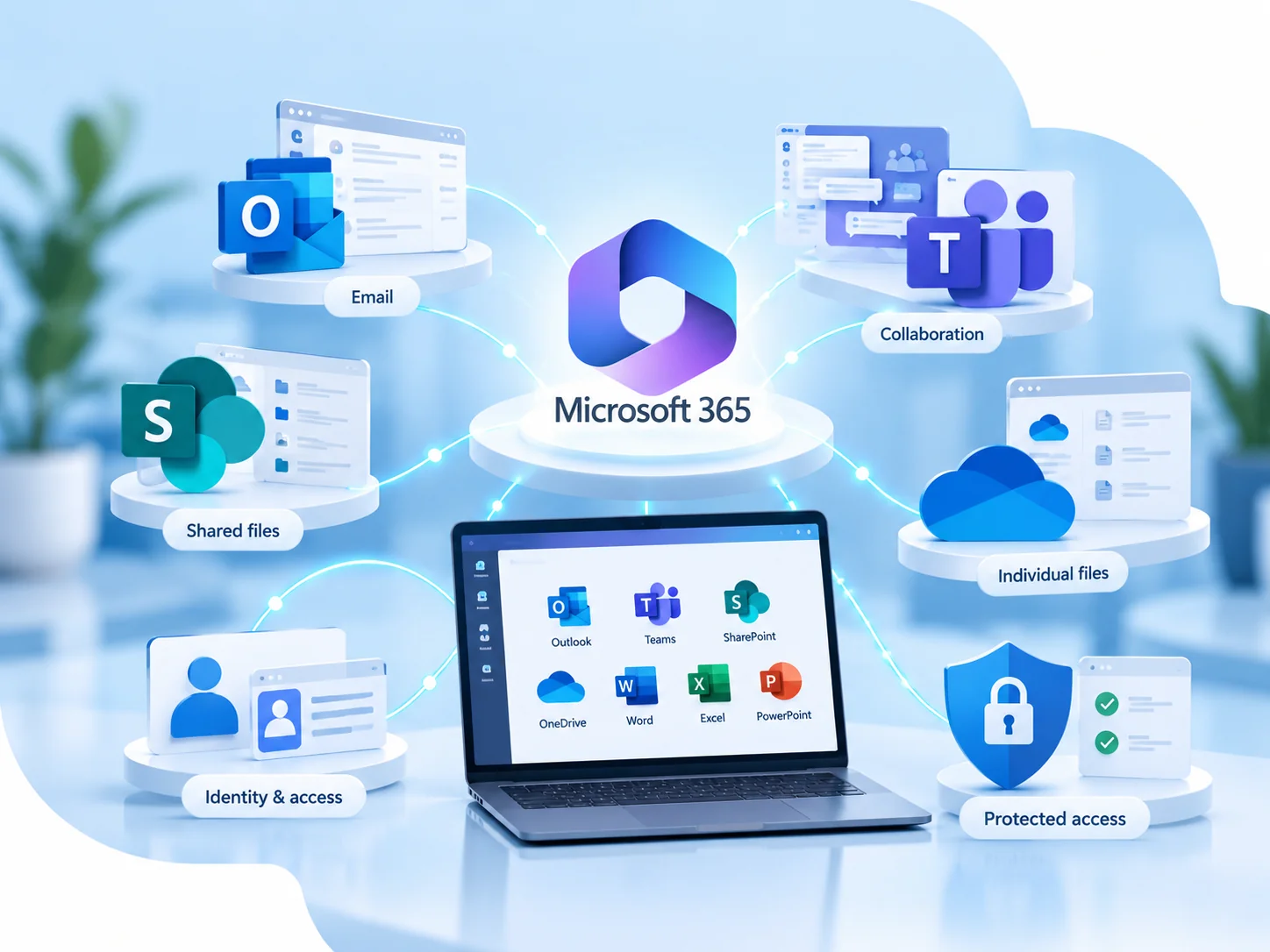
Microsoft 365 can sit at the centre of almost everything your staff do — email, files, meetings, collaboration, identities and access. That makes the way it is configured and managed just as important as the licences themselves.
Bang IT can look after the Microsoft 365 environment from licensing and user administration through to security, migrations, backups and ongoing technical support.




Licensing & administration
We can supply and manage suitable Microsoft 365 subscriptions and handle the day-to-day administration of the tenant.
Microsoft Partner & CSP
Bang IT is a Microsoft Partner and Cloud Solution Provider, allowing us to supply Microsoft 365 licensing and work with Microsoft through the appropriate partner support channels when required.
Security & identity
We help configure Microsoft 365 and Entra ID security controls around identities, access and supported devices.
Australian-based support
Your users have an Australian-based technical team to contact when Microsoft 365 is not behaving the way it should.
Microsoft 365 is more than email and Office apps
For many organisations, Microsoft 365 has become the platform behind identity, security, collaboration and file management. Outlook and Exchange Online handle email, while Teams, SharePoint and OneDrive support conversations, files and access to information. AI-assisted tools such as Microsoft 365 Copilot can also form part of the platform where relevant, with appropriate licensing.
Users are added and removed, permissions change, new applications are connected and security requirements evolve. Without ongoing administration, the environment can gradually become harder to understand and manage.
We help keep the tenant organised, supported and aligned with the way your business actually works.
What we can manage in Microsoft 365
The exact scope depends on your organisation, but our Microsoft 365 work commonly includes the following areas.
Licensing and subscriptions
We can supply and manage suitable Microsoft 365 subscriptions, assign licences to users and help review what is required as the organisation changes.
The right subscription depends on the users, applications and security requirements rather than one licence being appropriate for everybody.
Users, groups and access
Create and remove users, manage groups and shared mailboxes, assign permissions and make the access changes required as staff roles change.
Exchange Online and Outlook
Manage mailboxes, aliases, shared mailboxes and email-related configuration, and investigate supported Outlook and Exchange Online issues.
Teams, SharePoint and OneDrive
Help manage collaboration, file access, permissions and common issues across Microsoft Teams, SharePoint and OneDrive.
Security and identity
Review and manage appropriate Microsoft 365 and Entra ID controls such as Multi-Factor Authentication, Conditional Access, identity security and Microsoft security settings.
Technical support
When staff have problems with email, Teams, files, permissions or their Microsoft 365 account, our Australian-based technical team can investigate and help.
Microsoft 365 support backed by our Microsoft partner relationship
Bang IT is a Microsoft Partner and participates in Microsoft’s Cloud Solution Provider program, allowing us to supply Microsoft 365 licensing and manage supported Microsoft cloud services for our clients.
When an issue cannot be resolved at our level, we can work through the appropriate Microsoft partner support channels and manage the technical conversation with Microsoft on your behalf.
We also have access to Microsoft service-health information and platform communications, helping us identify known Microsoft 365 incidents, planned maintenance and wider service issues when they occur.
New starters, role changes and departing staff
Microsoft 365 administration is closely tied to the people in the business. New employees need the right licences and access, existing staff change roles and departing users need to be removed securely.
New starters
Create the Microsoft 365 account, assign the required licence, configure access and prepare the user for the systems they need.
Role and access changes
Adjust permissions, groups, shared resources and licences when responsibilities change.
Departing users
Remove access, secure the account and handle mailbox or data requirements according to the organisation’s instructions.
Moving to Microsoft 365 — or bringing environments together
A Microsoft 365 migration is not just about copying email. Users, domains, identities, permissions, files and collaboration services all need to be considered before the cutover takes place.
Bang IT can plan and carry out Microsoft 365 migrations for businesses moving from another platform, replacing an on-premises environment or combining organisations after an acquisition or restructure.

Google Workspace to Microsoft 365
For organisations moving away from Google Workspace, we can plan the transition into Microsoft 365, including the relevant user identities, email and supported data that forms part of the agreed migration scope.
We prepare the Microsoft 365 environment, coordinate the migration and help users move onto the new platform.
On-premises Exchange to Microsoft 365
We can help organisations move from an existing on-premises Exchange environment into Exchange Online and Microsoft 365.
The existing environment, domains, users, mail flow and dependencies are reviewed before the migration and cutover plan is agreed.
Microsoft 365 tenant-to-tenant migrations
Sometimes the destination is another Microsoft 365 tenant. This commonly happens when one company purchases another, organisations merge or a business needs to consolidate separate Microsoft 365 environments.
We can plan the tenant-to-tenant migration and move the agreed users, domains and supported Microsoft 365 data into the destination environment.
Migration scope varies between environments. Some Microsoft 365 workloads, applications and data types may require additional planning or specialist migration tooling, so we review the source and destination environments before confirming the final migration approach.
A planned move, not a last-minute cutover
Review the current environment
We identify the existing platform, users, domains, data, applications and dependencies that need to be considered.
Define the destination
We agree the target Microsoft 365 environment, licensing requirements, security baseline and migration scope.
Prepare Microsoft 365
We configure the destination tenant, users, licences, domains and required settings before the main migration.
Migrate the agreed data
The agreed mailboxes, files or other supported workloads are migrated using the appropriate migration method and tooling.
Cut over users and services
We coordinate the agreed cutover, including relevant domain and mail-flow changes, and help users move onto the new environment.
Validate and tidy up
We verify the migrated environment, resolve outstanding items and work through the agreed post-migration tasks.
Security should be part of the Microsoft 365 setup
Microsoft 365 contains a wide range of security and identity controls, but they still need to be configured appropriately for the organisation.
We can review the existing tenant and work through areas such as Multi-Factor Authentication, Conditional Access, identity protection, Microsoft security recommendations and access controls.
The objective is not simply to switch on every available setting. Controls need to support the way the business operates while reducing unnecessary risk.
Explore Cyber SecurityMicrosoft 365 backup and recovery
Microsoft 365 provides platform resiliency and retention capabilities, but many businesses also want an independent backup and recovery layer for their Microsoft 365 data.
Bang IT can provide and manage Microsoft 365 backup for supported mailboxes and Microsoft 365 data, monitor the backup service and assist with restores when required.
Microsoft 365 works better when it isn’t managed in isolation
For Managed IT clients, Microsoft 365 forms part of the wider environment we look after alongside the users, computers, security, backups and day-to-day support.
That gives us more context when something changes or a user needs help, rather than treating Microsoft 365 as a completely separate service.
Explore Managed ITAI works better when your Microsoft 365 environment is ready for it.
Microsoft Copilot can bring AI into the Microsoft 365 tools your staff already use, but assigning a licence is only part of a successful rollout.
Before broader adoption, it is worth understanding what users already have access to, how information is stored across Microsoft 365 and whether existing permissions and security controls are appropriate.
Bang IT can help with Copilot licensing, Microsoft 365 readiness, technical rollout and the identity, access and security controls that support responsible business use of AI.
Explore AI for BusinessCopilot licensing
Help determine which users genuinely need Microsoft Copilot and manage the appropriate Microsoft licensing.
Microsoft 365 readiness
Review relevant Microsoft 365 configuration, identities, SharePoint and OneDrive access and other technical considerations before wider adoption.
Rollout and adoption
Introduce Copilot to appropriate users in a controlled way rather than automatically enabling AI across the entire organisation.
Security and governance
Review the controls around identities, permissions, business data and the way AI tools are being introduced into the organisation.
Microsoft 365 in practice
8 case studies
A growing Australian recruitment company
Helping a growing recruitment company introduce hot desking and flexible working
We helped a growing Australian recruitment company move from fixed desktop PCs to business laptops and standardised shared desks, enabling hot desking and working from home while making more flexible use of its existing office.
Read case study : Helping a growing recruitment company introduce hot desking and flexible working
TradeWindow Cyberfreight — Australian freight forwarding software provider supporting more than 200 customer organisations
Taking a desktop freight application into the cloud
We built a hosted cloud environment for TradeWindow Cyberfreight, moving more than 200 customers away from locally hosted databases and giving users secure access to their business application from anywhere.
Read case study : Taking a desktop freight application into the cloud
Sydney-based engineering company
Moving an engineering company from Google Workspace to Microsoft 365
We migrated a Sydney engineering company from Google Workspace to Microsoft 365, moving Gmail and Google Drive data into Exchange Online, SharePoint and OneDrive without business downtime.
Read case study : Moving an engineering company from Google Workspace to Microsoft 365
Australian strata management group following an acquisition
Bringing two property businesses together in Microsoft 365
Following the acquisition of another strata company, we consolidated two separate Microsoft 365 tenants while allowing both businesses to retain their individual operating identities.
Read case study : Bringing two property businesses together in Microsoft 365
Large Australian recruitment company with an offshore operations team
Providing an Australian-hosted workspace for an offshore team
We created an Australian-hosted desktop environment for the offshore team of a large recruitment company, allowing staff overseas to work securely while business systems and primary data remain in Australia.
Read case study : Providing an Australian-hosted workspace for an offshore team
Australian IT services business
Recovering a former employee’s mailbox two years after they left
When a legal matter required email from an employee who had left two years earlier, we recovered the former user’s mailbox and historical deleted email from Microsoft 365 backup.
Read case study : Recovering a former employee’s mailbox two years after they left
Australian property management business
Building a secondary recovery environment outside Microsoft Azure
For a property management business running MRI and SQL workloads in Azure, we created a secondary recovery environment in Bang IT Cloud to provide an additional layer of business continuity.
Read case study : Building a secondary recovery environment outside Microsoft Azure
Large Australian property management and facilities organisation
Connecting property sites across Australia with secure business networks
We connected commercial and industrial properties across Australia using high-speed fibre and Sophos firewalls, creating secure site-to-site connectivity for business systems and centrally managed CCTV.
Read case study : Connecting property sites across Australia with secure business networksFrequently Asked Questions
Can you manage our Microsoft 365 licences?
Yes. We can supply and manage suitable Microsoft 365 subscriptions and make licensing changes as users and requirements change. The right licence depends on the needs of the organisation and individual users.
Do we have to use Microsoft 365 Business Premium?
No. Different Microsoft 365 subscriptions suit different users and requirements. We review what the organisation needs rather than assuming one subscription is appropriate for everybody.
Are you a Microsoft Partner?
Yes. Bang IT is a Microsoft Partner and participates in Microsoft’s Cloud Solution Provider program. This allows us to supply Microsoft 365 licensing and work through the appropriate Microsoft partner channels when technical escalation is required.
Can you migrate us from Google Workspace to Microsoft 365?
Yes. We can plan and carry out migrations from Google Workspace into Microsoft 365. The exact migration scope depends on the data and services being used in the existing Google environment.
Can you migrate an on-premises Exchange server to Microsoft 365?
Yes. We can help migrate supported on-premises Exchange environments into Exchange Online and Microsoft 365 after reviewing the current environment and dependencies.
Can you merge two Microsoft 365 tenants?
We can perform Microsoft 365 tenant-to-tenant migrations. This is commonly required following a business acquisition, merger or restructure where users and services need to be moved into one Microsoft 365 environment.
The exact scope is reviewed first because different Microsoft 365 workloads can have different migration requirements.
Can you help secure an existing Microsoft 365 tenant?
Yes. We can review the current configuration and help improve appropriate identity, access and Microsoft 365 security controls without changing things simply for the sake of it.
Do you support Teams, SharePoint and OneDrive?
Yes. We support Microsoft Teams, SharePoint and OneDrive as part of the Microsoft 365 environments we manage, including common access, permissions and user issues.
Do you back up Microsoft 365?
Yes. We can provide independent Microsoft 365 backup and recovery services and monitor the backup environment for managed clients.
Need help with Microsoft 365?
Whether you’re already using Microsoft 365, planning a migration or want someone to take responsibility for the day-to-day administration, we can review your environment and explain the next steps.
Talk to our team