
Backups are useful when you can actually recover from them.
Independent backup, monitoring and recovery for the Microsoft 365 data and business systems your organisation relies on.
Data can disappear for plenty of reasons — accidental deletion, a compromised account, application problems, hardware failure or simply somebody changing the wrong thing.
Bang IT can provide and manage backup services, monitor that protected data is being captured and help restore information when recovery is required.




Independent backup
Maintain a separate recovery copy of supported business data rather than relying solely on the live service.
Monitored
Backup services should be checked and monitored rather than assumed to be working simply because they were configured once.
Recoverable
When data needs to be restored, the important question is whether the required information can actually be recovered.
Managed by our team
Bang IT can manage the backup service, investigate issues and assist with restores when required.
Retention helps. Independent backup gives you another recovery path.
Cloud platforms such as Microsoft 365 include native resilience, retention and recovery features, but those features are part of the same platform your users work in every day.
Many organisations also want an independent backup layer so that important business data has another recovery option when information is deleted, changed or otherwise needs to be restored.
The objective is not to replace Microsoft 365’s native capabilities. It is to add another recovery layer around the data the business depends on.

Protect the information stored across Microsoft 365
For many businesses, a large amount of day-to-day information now sits inside Microsoft 365. Email, files and shared information can all become important when somebody needs something restored.
Exchange Online
Back up supported Microsoft 365 mailboxes so email data has an independent recovery copy available when required.
SharePoint
Protect supported SharePoint data used for company files, collaboration and shared information.
OneDrive
Back up supported OneDrive data so individual users’ business files can be recovered where required.
Coverage beyond email and files
Our managed Microsoft 365 backup service can protect supported data across Exchange Online, OneDrive, SharePoint, Microsoft 365 Groups, Teams, Planner and Entra ID.
Recovery is not always required because something was deleted. Sometimes a file, mailbox item or other data has been changed and the requirement is to recover an earlier version from before that change occurred.
Retention to suit the business
Backup data can be retained indefinitely from the date protection begins, or configured around the organisation’s preferred retention policy.
Some businesses choose seven years where this aligns with their record-keeping requirements or internal policies, while others choose longer or indefinite retention.
Bang IT can provide this through ConnectWise Cloud Backup. The underlying platform provides Azure-based storage and supports security and compliance capabilities relevant to frameworks including Essential 8 and a range of international standards. The backup service alone does not establish an organisation’s compliance with any framework.
The exact Microsoft 365 backup scope depends on the users, services and data included in the agreed backup service.
Explore Microsoft 365A backup job existing does not mean everything is fine
Backup systems can encounter failed jobs, authentication changes, licensing issues, connectivity problems or configuration changes.
That is why backup should be monitored rather than treated as a one-time setup task.
For environments we manage, Bang IT can monitor the backup service, investigate failures or warnings and work through issues that could affect recoverability.
Monitor
Check the backup service and identify failures, warnings or protected data that needs attention.
Investigate
Work through backup issues rather than simply leaving failed jobs unresolved.
Maintain
Update the backup configuration when supported users, systems or requirements change.
Recovery is the reason the backup exists
Sometimes the need is straightforward — somebody deleted an email or file and needs it back. In other situations, a wider recovery may be required after an account issue, system problem or other incident.
We confirm what needs to be recovered, identify the appropriate available restore point and work through the recovery using the capabilities of the relevant backup service.
Identify what is missing
Confirm the user, data, system and approximate point in time that needs to be recovered.
Check the available backup
Locate the relevant protected data and appropriate recovery point.
Restore
Recover the agreed information using the available restore method for that backup platform.
Confirm the result
Check that the required information has been restored and identify whether any further action is needed.
Server backup and recovery
Microsoft 365 is only part of the picture. Bang IT can also protect supported servers and workloads running on-premises, in Microsoft Azure or on the Bang IT cloud platform.
Backups can be stored in an external data centre location so the recovery copy is separated from the production server or site.

On-premises servers
Protect supported physical and virtual servers located at your office or other premises, with backup data stored offsite in an external data centre location.
Microsoft Azure
For workloads running in Microsoft Azure, we can design and manage suitable backup and recovery arrangements for supported virtual machines and application data.
Bang IT Cloud
Servers hosted on the Bang IT cloud platform can be protected with separate backup arrangements appropriate to the workload and recovery requirements.
Recovery options for different needs
Files and folders
Recover individual files, folders or earlier versions when information has been deleted or changed.
SQL and application data
Protect and recover supported database or application data, including recovery to an appropriate earlier point in time where the backup design allows.
Full server recovery
Where appropriate, protect the complete server or virtual machine so that a wider recovery can be performed rather than rebuilding the entire workload from scratch.
From one file to an entire server
The right recovery method depends on what has happened. Sometimes the requirement is one file from yesterday. In another situation it may be a SQL database, a server from an earlier point in time or a complete workload that needs to be recovered into another environment.
We design the backup approach around what needs protecting and the recovery options the business is likely to require.
Need somewhere to run your servers?
Bang IT provides virtual server infrastructure through both Microsoft Azure and our managed cloud platform.
Explore Cloud ServicesSecurity reduces risk. Backup gives you another recovery option.
Cyber security and backup solve different problems. Security is designed to reduce the likelihood and impact of an incident. Backup provides another way to recover important information when data is lost, damaged or needs to be restored.
A good technology environment needs both.
Explore Cyber SecurityBackup works better when somebody is responsible for it
For Managed IT clients, backup forms part of the wider environment we look after alongside support, Microsoft 365, security and device management.
That means changes in users or systems can be considered as part of the ongoing relationship rather than the backup environment being left untouched after the original setup.
Explore Managed ITWhen recovery really matters
8 case studies
A growing Australian recruitment company
Helping a growing recruitment company introduce hot desking and flexible working
We helped a growing Australian recruitment company move from fixed desktop PCs to business laptops and standardised shared desks, enabling hot desking and working from home while making more flexible use of its existing office.
Read case study : Helping a growing recruitment company introduce hot desking and flexible working
TradeWindow Cyberfreight — Australian freight forwarding software provider supporting more than 200 customer organisations
Taking a desktop freight application into the cloud
We built a hosted cloud environment for TradeWindow Cyberfreight, moving more than 200 customers away from locally hosted databases and giving users secure access to their business application from anywhere.
Read case study : Taking a desktop freight application into the cloud
Sydney-based engineering company
Moving an engineering company from Google Workspace to Microsoft 365
We migrated a Sydney engineering company from Google Workspace to Microsoft 365, moving Gmail and Google Drive data into Exchange Online, SharePoint and OneDrive without business downtime.
Read case study : Moving an engineering company from Google Workspace to Microsoft 365
Australian strata management group following an acquisition
Bringing two property businesses together in Microsoft 365
Following the acquisition of another strata company, we consolidated two separate Microsoft 365 tenants while allowing both businesses to retain their individual operating identities.
Read case study : Bringing two property businesses together in Microsoft 365
Large Australian recruitment company with an offshore operations team
Providing an Australian-hosted workspace for an offshore team
We created an Australian-hosted desktop environment for the offshore team of a large recruitment company, allowing staff overseas to work securely while business systems and primary data remain in Australia.
Read case study : Providing an Australian-hosted workspace for an offshore team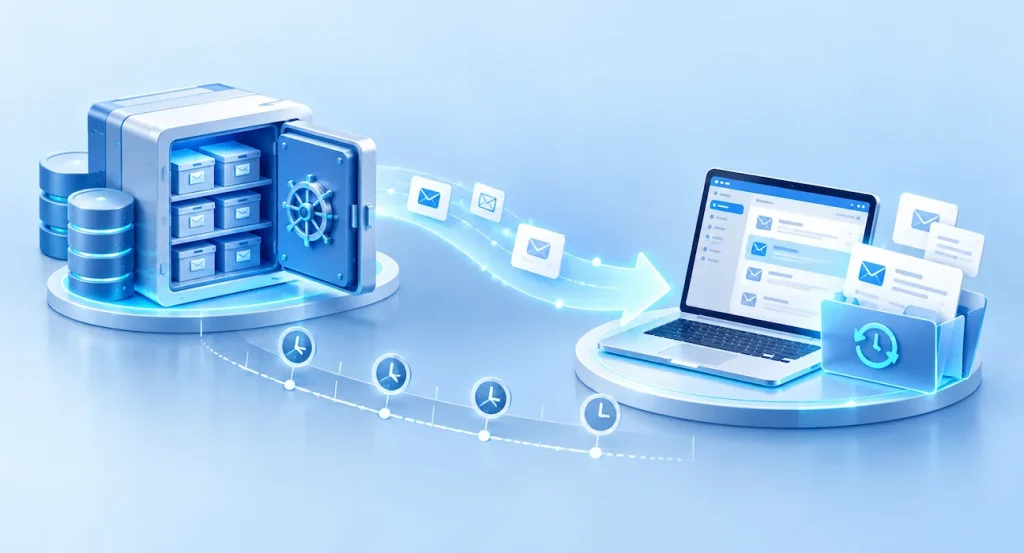
Australian IT services business
Recovering a former employee’s mailbox two years after they left
When a legal matter required email from an employee who had left two years earlier, we recovered the former user’s mailbox and historical deleted email from Microsoft 365 backup.
Read case study : Recovering a former employee’s mailbox two years after they left
Australian property management business
Building a secondary recovery environment outside Microsoft Azure
For a property management business running MRI and SQL workloads in Azure, we created a secondary recovery environment in Bang IT Cloud to provide an additional layer of business continuity.
Read case study : Building a secondary recovery environment outside Microsoft Azure
Large Australian property management and facilities organisation
Connecting property sites across Australia with secure business networks
We connected commercial and industrial properties across Australia using high-speed fibre and Sophos firewalls, creating secure site-to-site connectivity for business systems and centrally managed CCTV.
Read case study : Connecting property sites across Australia with secure business networksFrequently Asked Questions
Doesn’t Microsoft already back up Microsoft 365?
Microsoft provides platform resilience and a range of native retention and recovery capabilities within Microsoft 365. Many businesses choose to add an independent backup service as an additional recovery layer for important Microsoft 365 data.
What Microsoft 365 data can you back up?
We can provide backup for supported Microsoft 365 workloads such as Exchange Online mailboxes, SharePoint and OneDrive. The exact scope depends on the backup service and the Microsoft 365 environment being protected.
Can you restore individual emails or files?
Where the backup platform supports the required restore method and the data exists in an available backup, we can assist with restoring individual items such as email or files.
Do you monitor the backups?
For backup environments we manage, we monitor the service and investigate backup failures or issues that need attention rather than simply assuming the jobs are succeeding.
Can you back up our servers as well?
Potentially, yes. Server and application backup requirements vary considerably, so we first review the environment, the data involved and the required recovery approach before recommending a solution.
How long can backups be retained?
Retention can be configured around the organisation’s requirements. Microsoft 365 backup data can be retained indefinitely from the date protection begins, or for a defined retention period where preferred. Some businesses choose seven years to align with particular record-keeping requirements or internal policies.
How quickly can data be restored?
Recovery time depends on what needs to be restored, the volume of data, the backup platform and the underlying system. We do not promise a universal restore time because different recovery scenarios can be very different.
Is backup included with Managed IT?
Microsoft 365 backup forms part of the managed environment for clients where it is included in the agreed Managed IT scope. Other backup requirements can be reviewed and scoped separately where needed.
Can you restore an earlier version rather than just a deleted file?
Yes, where the relevant backup platform and available recovery points support it. Point-in-time recovery can be useful when information has been changed or corrupted and an earlier version is required.
Can you recover an entire server?
Where the server backup has been designed for full workload recovery, we can recover more than individual files. The available recovery options depend on the server, backup platform and agreed backup design.
Would you be able to recover the data you need?
If you’re not sure what is currently backed up, how it is monitored or what recovery would look like after a problem, we can review the environment and talk through the options.
Talk to our team